Email Marketing Best Practices: 10 Tactics for 2026
Table of contents
- 1. Build a Permission-Based, Double Opt-In List
- What to set up this week
- 2. Segment Your Audience by Behavior, Role, and Location
- 3. Personalize Beyond the First Name
- A safe way to start
- 4. Design Mobile-First, Scannable Emails
- 5. Write Subject Lines and Preheaders That Earn the Open
- Run the summary test
- 6. Use One Clear Call to Action per Email
- 7. Send at Time-Zone-Aware, Consistent Times
- Test timing without fooling yourself
- 8. Automate Value-First Nurture Sequences
- 9. Protect Deliverability with Authentication and List Hygiene
- 10. Test, Measure, and Stay Compliant
- Keep the legal side boring
- How the ten email marketing best practices compare
- Turn These Email Marketing Practices Into a Repeatable System
You're working from a rented desk in Lisbon, your subscribers are asleep in three different time zones, and you finally hit send on the launch sequence you spent the weekend writing. By morning, a chunk has bounced, another chunk has landed in spam, and the clicks you did get came from people who never wanted the offer. The writing wasn't the problem. The list came from a loose giveaway, the sending domain was never authenticated, and everyone got the same message at the same Lisbon time.
That failure is common because email looks simple from the inbox side. Behind it, you're managing permission, identity, timing, design, and law across borders at once. The scale leaves little room for sloppy systems, since the Data & Marketing Association email benchmarking report reported that global email volume reached 381 billion messages in 2023, representing 14% year-over-year growth. More volume doesn't fix weak foundations.
The email marketing best practices below are built for that reality. Each one gives you a concrete step you can take this week, the trade-off you need to accept, and a cross-border example you can copy. Start at the top if you're building from scratch. If you already send regularly, jump to the practice that's leaking the most revenue right now.
1. Build a Permission-Based, Double Opt-In List
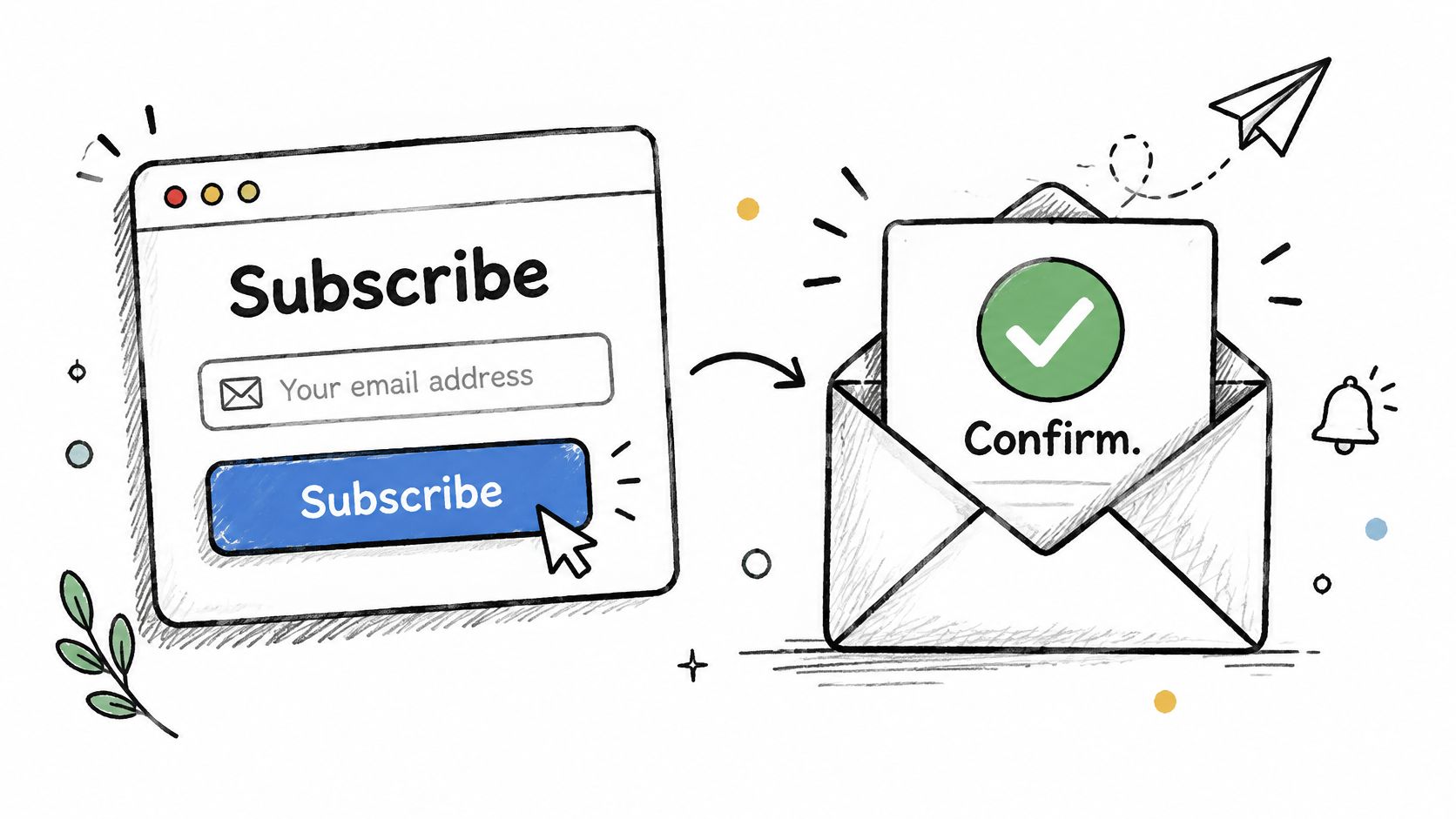
Send only to people who explicitly asked to hear from you, then make them confirm it. A double opt-in sends a short confirmation email after signup, and only a click on that link adds the person to your regular list. You'll lose some signups who never confirm. That's the point. Typos, bots, and borrowed addresses never reach your campaigns, so your bounces and complaints stay low from day one.
Say a solo consultant offers a free relocation checklist. The form promises weekly visa and cost-of-living notes, one email per week, the confirmation lands immediately, and the checklist arrives only after the click. Publications that gate lead magnets this way keep cleaner lists because every address has proven it exists and wants the content.
What to set up this week
Name the value and frequency: Write it on the form itself, not in fine print, so a subscriber in Berlin and one in Toronto set the same expectation.
Tie the lead magnet to your niche: A banking setup guide for freelancers working across borders attracts buyers, not freebie hunters.
Keep the confirmation short: One sentence, one button, sent instantly.
For audiences in the EU, UK, and Canada, that confirmation record also documents consent. Read more on double opt-in and GDPR compliance before you import any old contacts.
2. Segment Your Audience by Behavior, Role, and Location
A freelance designer in Lisbon, a SaaS founder in Singapore, and a remote employee in Toronto don't need the same email, and they definitely don't need it at the same hour. Segmentation splits your list by what subscribers do, who they are, and where they are, so each group gets content that fits. Blasting everyone is faster to build. It's also why relevant emails get ignored alongside irrelevant ones.
Start smaller than you think. Three to five segments based on role, stage, and primary interest will cover most small lists. Ask one preference question at signup, such as whether someone is freelancing, running a product, or employed remotely, then let click behavior refine it from there.
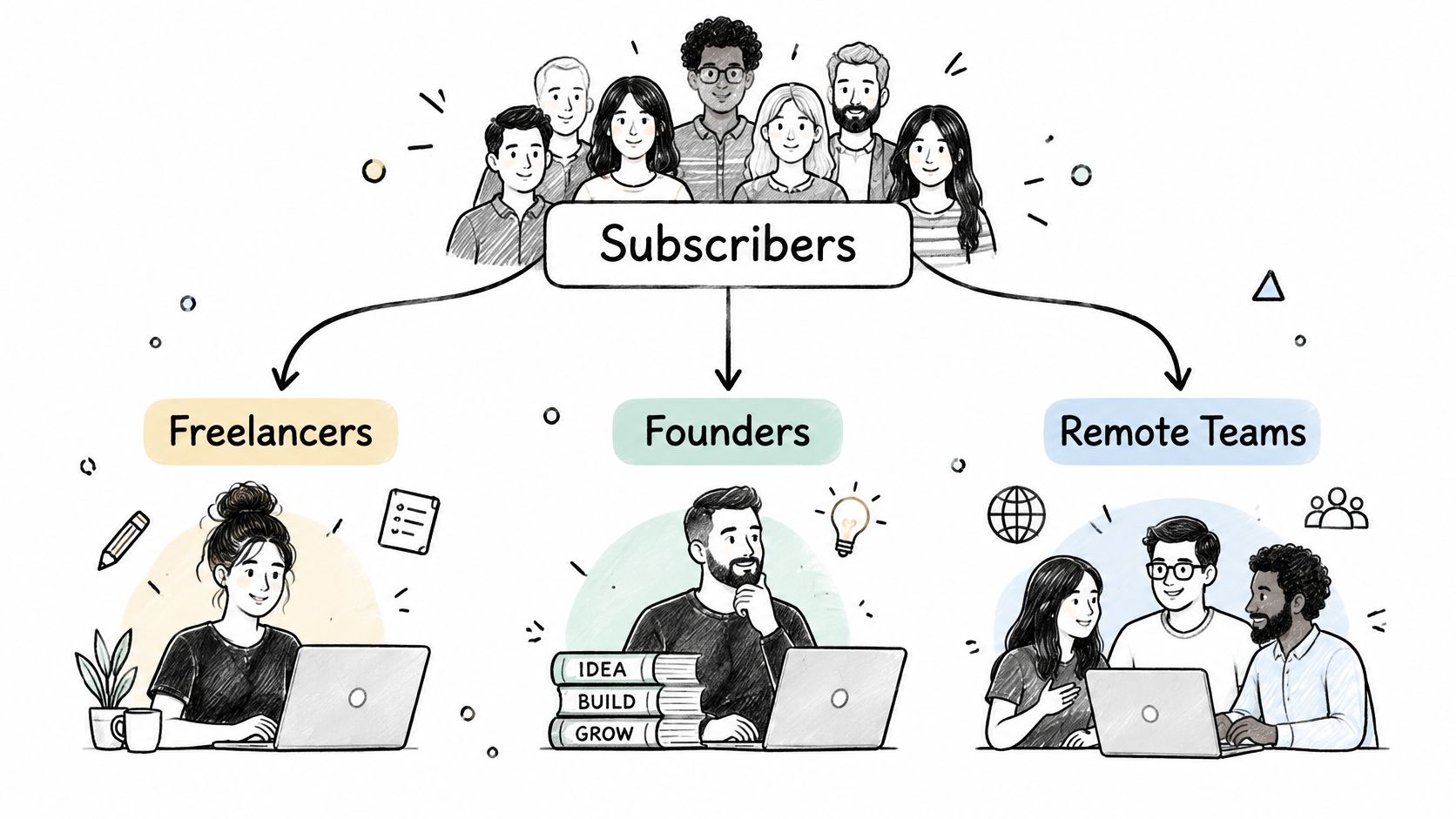
Say a nomad newsletter sends visa-renewal reminders only to subscribers who clicked visa content in the past two months. Everyone else gets the regular issue without the reminder module. Online course creators do the same thing when they branch a nurture sequence based on which lesson a subscriber finished.
Review segment performance monthly. If two segments click the same links at the same rate, merge them and save yourself the extra writing. For a broader set of starting rules, see Crescade's email marketing recommendations and adapt the segments to your own audience.
3. Personalize Beyond the First Name
Inserting a first name into a greeting isn't personalization. It's mail merge. Real personalization changes what the email recommends based on a signal the subscriber gave you, such as a city they researched, a business model they selected at signup, or a guide they downloaded last month.
The payoff is measurable when the signal is relevant. An academic review of email marketing research reports that personalized emails can increase open rates by 26% and raise revenue by as much as 760% in the cited research evidence. Treat those figures as a reason to test, not a promise for your list.
A safe way to start
Personalize one or two elements per email, usually the lead section and the call to action. Say a destination-planning platform sends Lisbon cost-of-living updates only to subscribers who bookmarked Lisbon, while everyone else sees a general city roundup in the same slot. E-commerce brands use the same pattern with recently viewed items.
Every dynamic block needs a sensible default. If the data field is empty, the email should still read like a finished email, never a broken template.
The trade-off is data discipline. Bad data produces confidently wrong emails, which feel worse than generic ones. State plainly in your privacy policy how you use behavioral data, and let subscribers update their preferences instead of forcing an unsubscribe.
4. Design Mobile-First, Scannable Emails
Design for the phone in a train station, not the monitor on your desk. A mobile-first email uses a single column, short paragraphs, large tap targets, and a headline that carries the point before any image loads. Your readers are checking email between flights, on hotel Wi-Fi, and on connections that drop mid-scroll.
Accessibility is part of that same design job, not a separate checklist. The 2026 Email Markup Consortium accessibility report analyzed 376,348 emails and found that 99.88% contained serious or critical accessibility defects, with only eight passing all automated checks. Missing language information, weak contrast, and links without discernible text hurt every reader, including non-native English speakers reading quickly on a small screen.
Preview every template on at least one iOS device, one Android device, and one desktop client before you lock it. Keep images narrow, write descriptive alt text, set the email language in your template, and check that links say where they go instead of saying click here.
Minimal, text-first newsletters from independent writers work well here because there's almost nothing to break. Travel and booking brands take the other route, with rich design disciplined down to one primary button and short section headers. Either style works. What doesn't work is a desktop layout squeezed onto a phone and hoped for the best.
5. Write Subject Lines and Preheaders That Earn the Open
Write the subject line and preheader as a pair. The subject line makes a specific promise, and the preheader adds the detail that makes the promise worth opening. If the preheader just repeats the subject line, you've wasted the most valuable space in the inbox. Front-load the important word, because mobile clients cut subject lines short without asking.
There's a newer reader in the inbox now, and it isn't human. A 2026 Validity survey on AI-powered inboxes found that 55% of consumers make decisions based on AI-generated email summaries alone, while 74% of marketers cannot measure when this happens. Your first sentence, dates, prices, and next step need to survive being summarized by a machine that doesn't appreciate clever wordplay.
Run the summary test
Before you send, ask whether someone could explain your offer, deadline, audience, and next step using only the subject line, preheader, and first sentence. If they can't, rewrite the opening before you touch anything else. Semantic clarity now beats a witty hook that a summary flattens into nonsense.
Say a freelancer newsletter tests Your Portugal tax checklist against a question-based line. Test one variable at a time, wait for a meaningful sample, and judge by clicks and replies. Opens alone will mislead you, since privacy features distort them. Keep your sender name consistent too, so readers in any country recognize you before they read a word.
6. Use One Clear Call to Action per Email
Pick one job for the email and let everything else support it. Read a guide, book a call, start a trial, reply with a question. When an email asks for four things, readers usually do none of them, and you can't tell afterward which offer worked.
Write button text that completes the sentence I want to. I want to download the eSIM comparison works. Submit doesn't. Place the primary button after the lead paragraph and again at the end, so a reader skimming on a phone in an airport lounge still hits it without scrolling back up.
Say a relocation consultant sends one email with one button reading Book a 20-minute destination review. The supporting paragraphs answer objections without introducing a second offer. Product launch emails work the same way: feature one hero offer rather than a full catalog. Founders selling software already apply this discipline on their pricing pages, where effective app monetization strategies push a single plan or upgrade path instead of every option at once. Give the email that same focus.
Newsletters get a modified version of this rule. Feature one main story with a real button, then keep secondary items as brief text links. The hierarchy tells readers what matters most this week. For a list spread across privacy regimes, one CTA also keeps compliance simpler, since each tracked click maps to a single purpose your consent language can describe accurately.
7. Send at Time-Zone-Aware, Consistent Times
Sending at 9 a.m. your time means midnight for someone. For a list spread across continents, use your provider's local-time delivery so each subscriber gets the email at the same local hour, or split sends by region if your tool doesn't support it. Store each subscriber's time zone at signup, or infer it from location data only with consent.
Consistency matters as much as the hour itself. Editorial newsletters that hold a fixed weekday slot for years train readers to expect them, and expectation is a form of engagement you don't have to re-earn every week. Erratic timing makes even good emails feel like interruptions.
Test timing without fooling yourself
Start with a fixed day and local time: Hold it steady long enough to get a clean baseline by segment.
Change one thing: Test local delivery against your current single send time, not a new day and a new subject format at once.
Check destination holidays: A launch email landing during a major holiday week in your biggest market will underperform for reasons that have nothing to do with copy.
Say a globally mobile founder newsletter sends at 8 a.m. in each subscriber's time zone every Tuesday. Readers in Auckland and readers in Austin both get it with morning coffee. If you want benchmarks to start from, research on how to find the best newsletter send times gives you a baseline to test against your own segments.
8. Automate Value-First Nurture Sequences
A subscriber who joins at 2 a.m. their time can get the right first email while you're asleep in another hemisphere. That's the core case for automated sequences: a welcome series, an onboarding flow, or a re-engagement campaign triggers on subscriber behavior, not on whether you showed up to work that week.
The behavioral advantage is large. Omnisend's 2025 report, covered in a roundup of email marketing statistics, found that automated emails generated conversion rates 2,361% higher than scheduled campaigns. Timing tied to an action beats timing tied to your calendar, because the subscriber just told you what they care about.
Map each sequence on paper before you build it: trigger, goal, message, exit condition. Check that the consent captured at signup covers automated follow-ups, since a welcome flow reaching GDPR or CASL markets runs on the same permission basis as a broadcast. Lead with roughly 80 percent value and 20 percent offer in the early messages, and stop the sequence the moment someone converts. A discount pitch arriving after the purchase is the fastest way to teach subscribers to ignore you.
Say a visa-planning guide runs five emails, one step per message, and offers a consultation only in the last one. A SaaS onboarding series does the same work when it walks new users through setup before introducing paid features. If you already manage new customers through a client onboarding checklist, the same trigger-step-exit logic applies here. Build the welcome series first. It's the highest-intent moment you'll get with a new subscriber.
9. Protect Deliverability with Authentication and List Hygiene
None of the previous practices matter if the email never reaches the inbox. Deliverability rests on two habits: proving you are who you claim to be, and refusing to keep sending to addresses that don't engage. Gmail and Yahoo now require authentication and one-click unsubscribe for bulk senders, so this isn't optional polish anymore.
Set up SPF to list your authorized senders, DKIM to sign your messages, and DMARC to tell receivers what to do when alignment fails. The 2025 Validity deliverability benchmark reports that more than 90% of new DMARC adopters in Q1 2024 introduced DMARC with a policy configuration, a sign that enforcement is becoming the norm rather than passive monitoring.
Start DMARC in monitoring mode, review the aggregate reports until every legitimate tool you use passes alignment, then tighten the policy. Send marketing mail from a subdomain such as mail.yourdomain.com so a bad campaign doesn't damage the domain you use for invoices and partnership outreach.
This short walkthrough shows the authentication setup in practice:
Then clean the list on a schedule. Say a freelancer newsletter runs one re-engagement attempt, then removes subscribers with no clicks in six months. That stings, but inactive addresses drag down the engagement signals inbox providers use to judge your next send.
10. Test, Measure, and Stay Compliant
Measure what readers did, not what their mail app reported. The UK DMA 2025 email benchmarking report, built from anonymized data from seven major email service providers, reports a 35.9% open rate but only a 2.3% unique click rate. Apple Mail Privacy Protection can register opens without any reader intent, so treat opens as directional and make decisions on clicks, replies, conversions, and unsubscribes.
Build a simple dashboard you review weekly: unique clicks, conversions, unsubscribes, and complaints, broken out by segment. A list-wide average hides the segment that is failing. Compare broadcasts against automated flows separately too, since the intent behind them differs.
Keep the legal side boring
Consent source: Record where and when each subscriber opted in.
Unsubscribe handling: Honor it immediately and make the link easy to find.
Sender details: Use a real name, a monitored reply address, and a physical address where required.
Those three habits cover the core of CAN-SPAM in the United States, GDPR in the EU and UK, and CASL in Canada, though you should confirm specifics for each market you email. Say a consultancy tests two offer formats across one segment, adopts the winner for its next nurture series, and applies the same testing discipline it uses when learning how to promote an app. Systematic testing plus clean compliance turns email into a channel you can forecast instead of a slot machine.
How the ten email marketing best practices compare
| Item | Primary goal | Best for | Effort level | Key metric |
|---|---|---|---|---|
| Build a Permission-Based, Double Opt-In List | Grow a consent-based, engaged list | Compliance-conscious list building | Moderate | Confirmation rate |
| Segment Your Audience by Behavior, Role, and Location | Send more relevant messages to audience groups | Diverse audiences with distinct needs | Moderate | Click-through rate by segment |
| Personalize Beyond the First Name | Tailor email content to subscriber data | Relevant recommendations and triggered campaigns | High | Conversion rate |
| Design Mobile-First, Scannable Emails | Make emails easy to read and use on phones | Mobile-heavy audiences | Moderate | Mobile click-through rate |
| Write Subject Lines and Preheaders That Earn the Open | Encourage opens with clear, relevant copy | Improving email engagement | Low | Click-through rate |
| Use One Clear Call to Action per Email | Focus readers on one primary action | Campaigns with a specific goal | Low | Conversion rate |
| Send at Time-Zone-Aware, Consistent Times | Deliver emails when subscribers are most likely to engage | Global audiences and recurring newsletters | Moderate | Click rate by send time |
| Automate Value-First Nurture Sequences | Build engagement and conversions with automated emails | Onboarding and follow-up journeys | High | Sequence conversion rate |
| Protect Deliverability with Authentication and List Hygiene | Improve inbox placement and sender reputation | Bulk senders and growing lists | High | Inbox placement rate |
| Test, Measure, and Stay Compliant | Improve results while reducing legal risk | Ongoing, data-driven email programs | Moderate | Conversion rate |
Turn These Email Marketing Practices Into a Repeatable System
Don't try to implement all ten practices this month. You'll stall, and the half-finished versions will be worse than a simple setup done properly. Sequence them by how fast they compound instead.
Start with the two changes that protect everything else. First, a permission-based signup with a confirmation step, so every address on your list is real and documented. Second, an authenticated sending domain with SPF, DKIM, and DMARC, plus a clean one-click unsubscribe process. Together those two fixes decide whether your emails reach the inbox at all, and they're one-time infrastructure work rather than weekly effort.
Then layer in the practices that raise revenue per send. Add three basic segments by role, stage, and interest. Rewrite your template so each email carries one clear call to action that survives a phone screen and an AI summary. Build one welcome sequence before you build anything fancier, because new subscribers are at peak intent and most small lists waste that window entirely.
Finally, install the feedback loop. Review clicks, conversions, and unsubscribes weekly, by segment, and let one test run at a time until it produces a real answer. The channel rewards that patience, since Litmus's 2025 State of Email survey, summarized in a collection of email marketing statistics, reported that 35% of respondents generated between $10 and $36 in returns for every $1 spent on email marketing. Returns like that come from systems, not from one brilliant campaign.
Automated flows deserve a special place in your roadmap once the basics hold. Klaviyo's 2026 benchmark of more than 183,000 brands, cited in a Shopify guide to email marketing statistics, reported an average campaign click-through rate of 1.69% compared with 5.58% for automated flows. When you're operating across time zones, that gap is also a lifestyle decision. Flows keep selling and onboarding while you travel, sleep, or focus on client work.
If you want support while you build this out, Mazurly's Dive Deeper guides cover emails and partnerships, its Build section covers marketing and growth, and its community lets founders share ideas and find a mentor if you want to compare notes while you refine the system. Pick the first two fixes, ship them this week, and let the cleaner data tell you what to build next.
Visit Mazurly to explore practical guides on email marketing, partnerships, and business growth built for founders and freelancers working across borders. You'll also find tools and a community of globally mobile operators who are solving the same list-building, automation, and time-zone problems you are. Start with one practice from this list, then compare notes with people who've already shipped it.