How to Market an App: A Step-by-Step Plan for 2026

Table of contents
- The Six-Phase Launch Playbook at a Glance
- Validate Demand and Position Your App Before Launch
- Optimize the Store Listing Before You Spend
- Map intent to the page
- Test for quality, not just rank
- Launch With Beta Testers, Press and Creators
- Instrument Activation and Retention Before You Scale
- Keep cohort rules consistent
- Measure without false precision
- Scale Organic, Paid and Partner Acquisition
- Make the test answer a budget question
- Pick Your Tools and Run Your First Experiment
- Keep a light operating rhythm
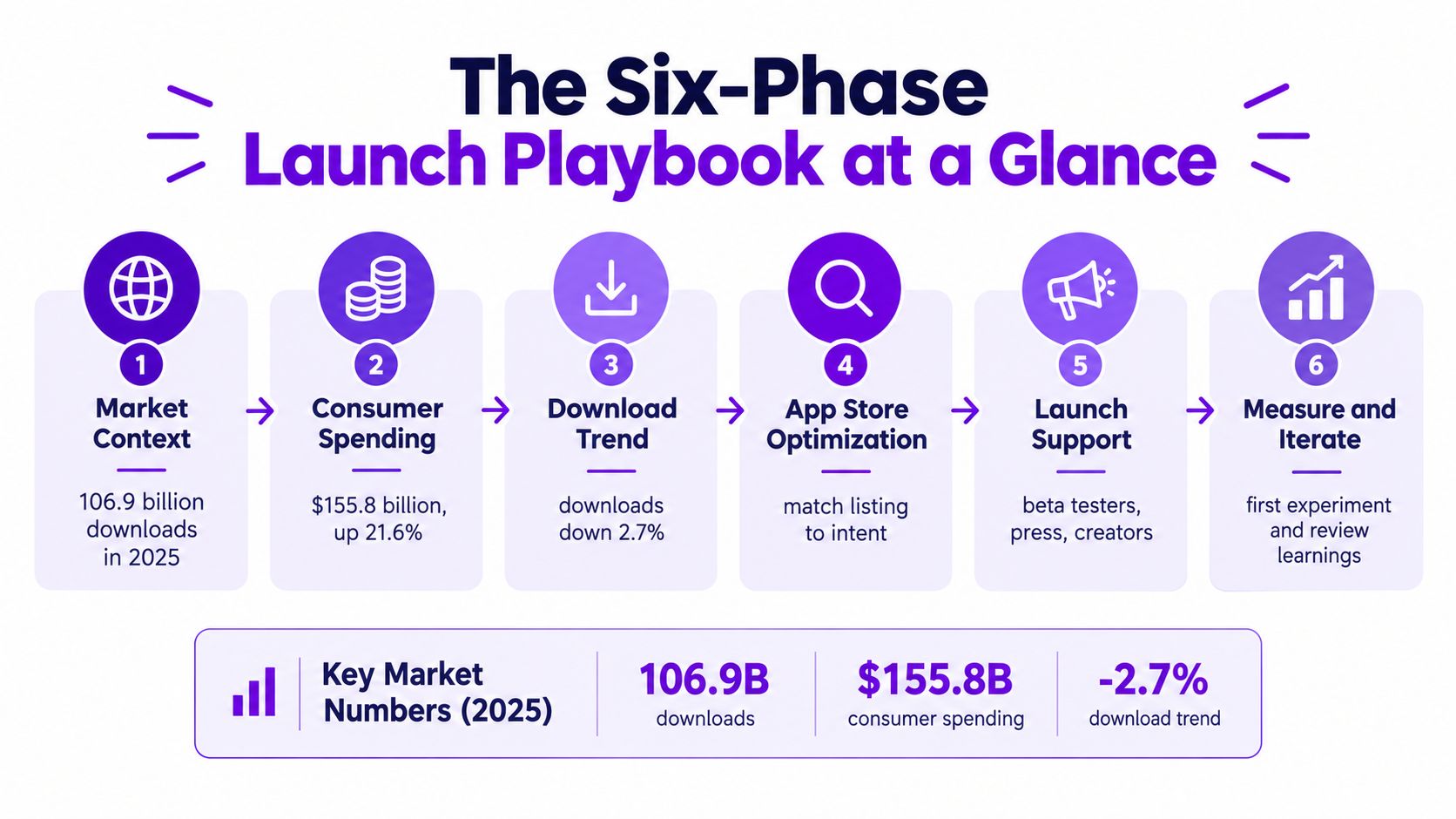
A market can deliver enormous reach without rewarding teams that chase downloads alone. In 2025, global downloads across the Apple App Store and Google Play reached approximately 106.9 billion, while consumer spending rose 21.6% year over year to about $155.8 billion. Downloads fell 2.7% from 2024, according to TechCrunch's report on app downloads and consumer spending. The practical lesson for a small team is clear: judge marketing by the users who activate, return and pay, not by the install count alone.
The Six-Phase Launch Playbook at a Glance
That contrast between reach and spending changes how to market an app. App marketing is a full funnel, from discovery and store conversion through onboarding, repeat use and revenue. A channel that brings installs but not users who reach value is not a growth engine. It's a bill.
| Phase | Timing | Goal | Metric to watch |
|---|---|---|---|
| Validate and position | 8–12 weeks before launch | Confirm a painful job and a one-line promise | Share of interviewees who name the problem unprompted |
| Store listing and beta | 4–6 weeks before launch | Make the listing convert and find first testers | Page-view-to-install rate |
| Launch week | Launch day to day 7 | Concentrate first installs and reviews | Day-1 activation by channel |
| Acquisition scale-up | Weeks 2–12 | Repeat only the channels that activate users | Cost per activated user |
| Retention and monetization | Month 2 onward | Turn users into repeat users and payers | Day-7 retention and trial-to-paid rate |
| Experiments | Every 2–4 weeks, ongoing | Test one variable at a time | Lift on the primary metric against a holdout |
Use the sequence as a set of gates, not a calendar that forces you to spend on schedule. Find the phase you're in, check whether its metric is good enough to justify the next investment, and fix the weak point before adding complexity.
Practical rule: Don't scale paid acquisition until the store listing converts and new users reach the first meaningful outcome. More traffic won't repair a confusing promise or a broken first session.
The market figures describe the opportunity, not a forecast for any individual app. A narrow audience, a concrete outcome and a way to measure retained or paying users will do more for a bootstrapped launch than a big download target.
Validate Demand and Position Your App Before Launch
A product can be useful and still be difficult to market if its audience and promise are too broad. Validate the problem before building a full feature set. The point isn't to ask people whether they like your idea. It's to learn how they handle the problem today and what would make them change.
List people who match the user. Start with a small, specific group, such as freelancers who invoice clients in multiple currencies or founders coordinating work across time zones. A narrow list makes it easier to spot repeated needs instead of collecting opinions from people with unrelated jobs.
Interview about a recent problem. Ask someone to walk through the last time the issue occurred, what triggered it and what they did next. Questions about an actual event tend to reveal friction and workarounds; asking whether they would use a hypothetical app invites polite but weak signals.
Record unprompted pain and existing workarounds. Note whether the person names the problem before you describe your proposed solution, then ask what they currently spend in time, money or effort to handle it. A free spreadsheet may look like a competitor, so the app needs to save enough time or trouble to justify switching.
Write a one-line position. Use this structure: “For [user] who [job], [app] is a [category] that [outcome], unlike [current workaround].” If the sentence needs a string of features to explain the value, sharpen the audience or outcome.
Test the promise before expanding the build. Put the line on a simple landing page or waitlist and see whether the right people take a concrete next step. A page won't prove product-market fit, but it can reveal whether the promise is understandable enough to earn attention.
Choose the activation event. Define the first action that shows the user has received the promised value, such as finishing a workflow or saving a useful comparison. Write it down before launch so the team doesn't later mistake a signup for success.
Consumer apps may need diary studies or search research to understand repeated behavior. For B2B products, interview the buyer and the person who will use the product, since each may judge value differently. For more ideas about narrow, testable products, explore micro-SaaS ideas.
Optimize the Store Listing Before You Spend
Establish a store-page baseline before changing creative or buying traffic. Average page-view-to-install rates are approximately 8.56% on the App Store and 16.15% on Google Play, with substantial variation by category, according to AppFollow's app store optimization guidance. Treat those figures as context, not a target: your own country, category and traffic mix determine whether a change helps.
Map intent to the page
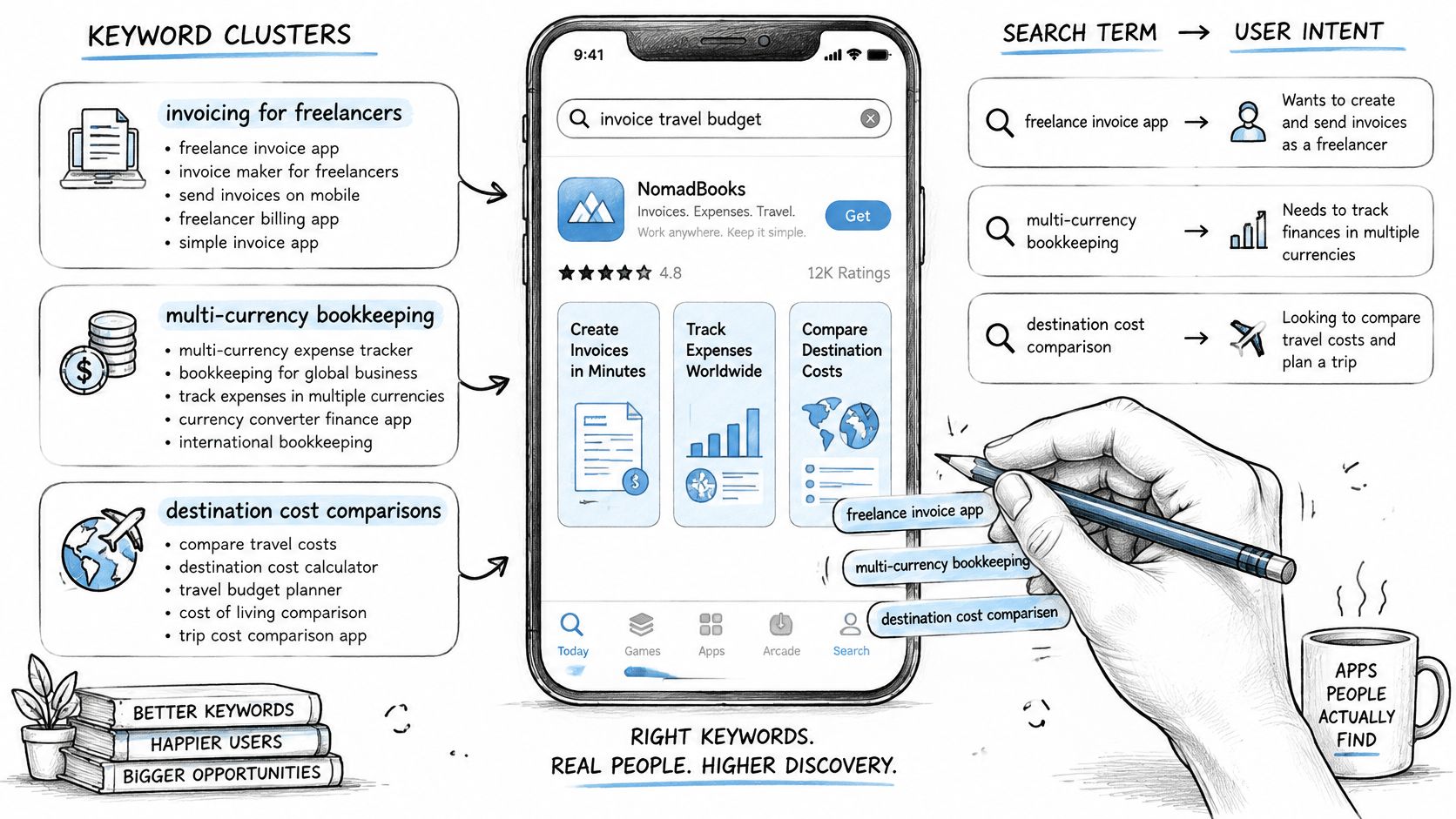
Group searches by the job behind them. “Freelancer invoicing,” “multi-currency bookkeeping” and “destination cost comparisons” signal different needs, so don't force them into one generic message. Create a page hypothesis for each audience you can serve, such as freelancers, founders or remote employees, and measure each one against activation quality as well as store conversion.
Change the highest-impact fields in sequence:
Title and subtitle or short description: The App Store title and subtitle allow 30 characters each; Google Play's title allows 30 characters and its short description 80. Use the limited space to identify the app's job and intended user, not to stack unrelated keywords.
First screenshots: Make the first two or three images tell a coherent story. The opening screenshot should show the most valuable job in one glance, while the next images make the workflow and outcome clear.
App icon: Keep it recognizable at small sizes and consistent with the app's identity. Don't make it carry the entire positioning burden.
Test for quality, not just rank
Set a baseline by country and traffic source, then change one major variable at a time. Keep a test running across a full weekday and weekend cycle so a single day's traffic doesn't decide the result. Separate branded searches from non-branded ones, and check whether visitors who install also activate and return.
Localize the meaning, not just the words. Adapt the keyword groups, screenshot captions and short description to local phrasing, then compare conversion by country. A ranking increase that brings in people who never use the app is not a win. For a deeper framework aimed at practitioners, see this guide to app store optimization for growth teams.
Launch With Beta Testers, Press and Creators
A launch works best when it's a sequence of useful conversations, not a single announcement. Recruit people who resemble your intended users, fix the first-session obstacles they uncover, then approach media and creators with a concrete story.
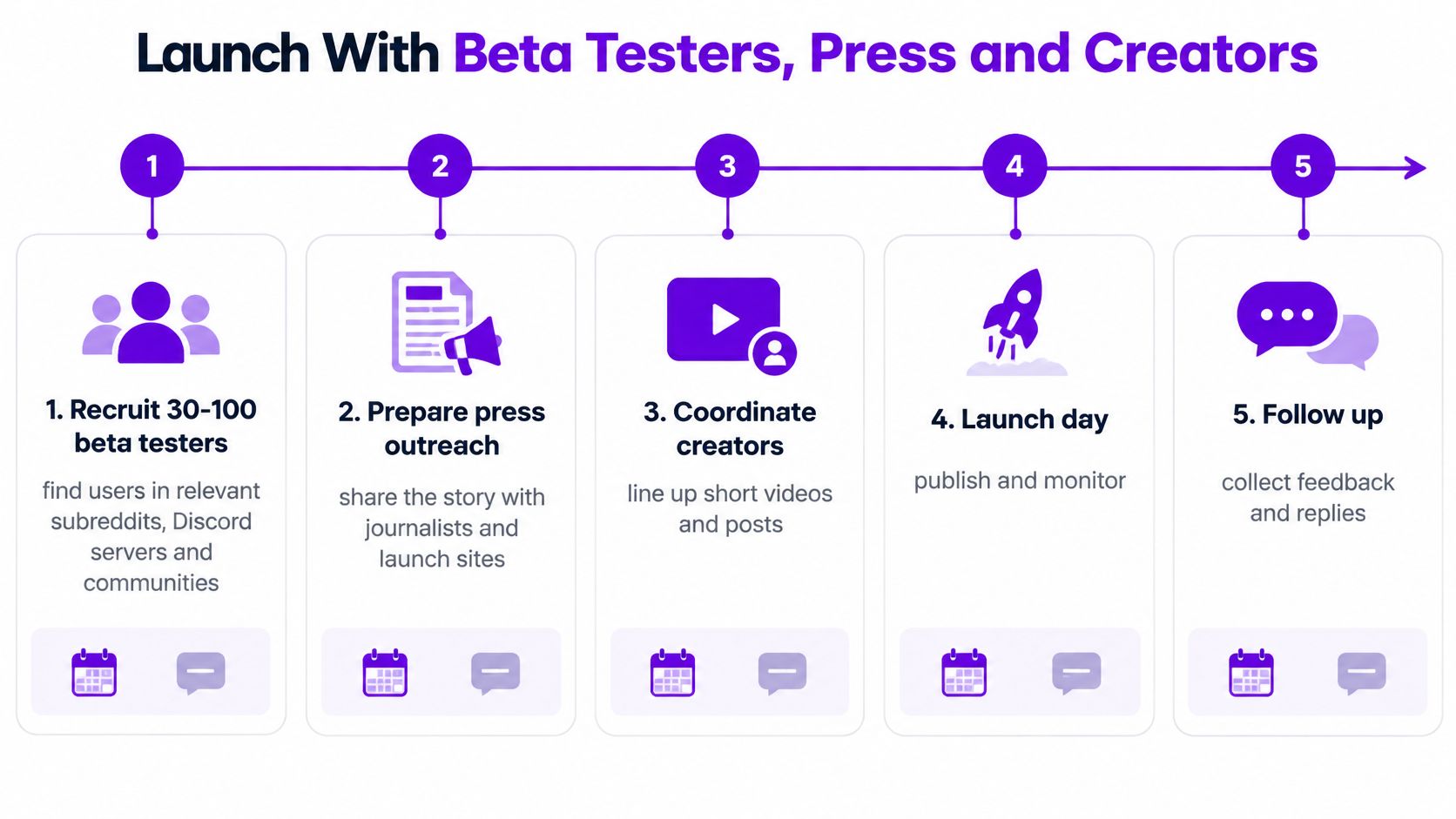
Recruit beta testers. Find potential users in communities they already use, such as relevant subreddits, Discord servers and founder groups. Use TestFlight for iOS and Google Play open testing for Android, and tell testers exactly what kind of feedback you need.
Ask one focused question each week. Ask where they got stuck or what they expected to happen next. A specific question about a real moment is easier to act on than a general request to “send feedback.”
Request reviews after the user reaches value. Ask testers who have completed the activation event to leave an honest store review. Don't offer rewards for ratings; the aim is genuine feedback from people who have used the app.
Pitch journalists with a relevant story. Contact a small number of writers who already cover the problem area. Explain what the app helps users do and offer a specific demo or result, rather than sending a generic press release.
Coordinate creators and launch sites. Choose creators whose audience matches your user profile, give each a unique link or code, and agree on a clear flat fee. That makes it easier to compare both installs and activations; this resource on tracking attribution for app influencer campaigns can help structure the measurement.
Use Product Hunt when the product is ready to demonstrate. A launch site can concentrate attention, but it can't create a clear product demo or an interested audience for you. Prepare a demo and a waiting list first, and tailor the angle to the app: a productivity tool can show a completed workflow, while a game should show the gameplay itself.
A community can also support a launch beyond the initial burst. Mazurly offers a community where members can connect, collaborate, share ideas and seek a mentor, which can be useful to founders looking for practical feedback and peer conversations.
Instrument Activation and Retention Before You Scale
Define the value event before comparing acquisition channels. For a globally mobile business app, activation might mean completing a cross-border workflow, saving a destination comparison or generating an operational checklist. Track install, signup, activation, first-week return and paid conversion as separate events, then group users by acquisition source, country, platform and onboarding version.
| Metric | Median benchmark | Strong performers | What to do with the gap |
|---|---|---|---|
| Day-1 retention | 26.5% | 30–40% | Shorten onboarding until users reach the activation event |
| Day-7 retention | 11.2% | 10–15% | Add contextual prompts that bring users back to the core workflow |
| Day-30 retention | 4.8% | 5–8% | Build a reason to return, such as saved work or scheduled checks |
| Cost per activated user | No shared benchmark | No shared benchmark | Compare channels on this metric per cohort, not on cost per install |
These are reference points, not universal targets. The mobile app retention benchmark compilation places median Day-1 retention near 26.5%, Day-7 near 11.2% and Day-30 near 4.8%; stronger performers are reported around 30–40%, 10–15% and 5–8%, respectively. Use the gap to decide what to improve, not to declare an app healthy or unhealthy without considering its category and user behavior.
Keep cohort rules consistent
Calculate retention as returning users divided by the original cohort, excluding newly acquired users. Otherwise, a wave of new installs can make the active-user count look better even when earlier users aren't coming back. Compare onboarding variants and acquisition sources with the same cohort definition.
Shorten onboarding until users reach the core outcome, and replace generic feature tours with prompts tied to what the user is trying to do. Show a paywall after the activation event rather than on first launch, then measure trial-to-paid conversion by cohort. If a channel buys cheap installs but few people activate, its cost per activated user will expose the problem.
Measure without false precision
A 2025 survey of more than 700 global marketing and product executives found that only 18% were very confident in accurate install attribution, while 74% said privacy regulation creates costly measurement blind spots, according to the survey announcement on mobile marketing attribution. A small team shouldn't respond by collecting more user-level data by default. Use consented first-party events, compare exposed and unexposed cohorts, and use holdouts where practical; report uncertainty clearly and make budget decisions around incremental activation and cohort payback.
Scale Organic, Paid and Partner Acquisition
Group acquisition into three buckets and run them on different clocks: organic, paid and partnerships. Organic covers store search, content that answers the same questions your listing answers, referrals prompted after users reach value, and word of mouth in relevant communities. Paid covers Apple Search Ads, Google app campaigns and social advertising. Partnerships cover integrations, newsletter swaps and referral arrangements with products that share your audience but not your function.
Paid media can support organic discovery, but treat that as a claim to verify. A working-paper study analyzed 500 days of campaign data from 2018–2019 across 85 digital advertising publishers and found that every $100 of ad spend was associated with approximately 37.2 paid installs and 2.8 additional organic installs, according to the working paper on paid advertising and organic app installs. The study also identified next-day effects. Its data came from one company and a specific historical campaign environment, so treat the result as a hypothesis to test, not a forecast for your app.
Make the test answer a budget question
Design each paid test around a decision, not a dashboard. Set a spend level you can sustain for several weeks, pick one geography or time window to compare against, and judge the channel on activated users and their later retention rather than install counts. A campaign that looks weak on last-click installs may still prompt branded searches days later; a campaign with cheap installs and poor activation is losing money at any CPI.
Budget rule: Keep a channel only when it produces activated users at a cost and payback your business can support. Installs are an intermediate signal, not the decision.
Spreading a small budget across every platform guarantees you learn nothing about any of them. Start where the target user already searches for a solution, then add a second channel only after the first shows a repeatable path to activation. For a broader view of how to improve CPI and ROAS for apps, apply the same discipline: downstream value first, acquisition cost second.
Organic work compounds while paid stops the moment you stop paying, so build referral prompts and community presence in parallel rather than after ads are running. Partnerships earn their place when the partner's audience matches your activation profile; a newsletter mention from a complementary tool beats a broad shoutout every time. Mazurly offers marketing help for this stage, including marketing automation, practical guides and expert advice. If you are sizing the launch budget against the rest of the business, review the startup costs for an online business before committing spend.
Pick Your Tools and Run Your First Experiment
A small team can start with a lean stack. Use store consoles for the listing and reviews, a simple analytics setup for events, and a shared sheet for cohort comparisons. Add tools only when they answer a question the current setup cannot.
| Tool | Job in the playbook | Cost situation |
|---|---|---|
| App Store Connect | Store listing, product page tests, reviews and TestFlight | Free to use, annual developer fee applies |
| Google Play Console | Store listing experiments, reviews and open testing | Free to use, one-time registration fee applies |
| Firebase Analytics | Activation, retention and event tracking | Free |
| Google Sheets | Cohort tables and experiment log | Free |
| Notion | Launch plan and weekly review | Free tier available |
| Loom | Async demos for beta testers and partners | Free tier available |
| Canva | Screenshots and store creative | Free tier available |
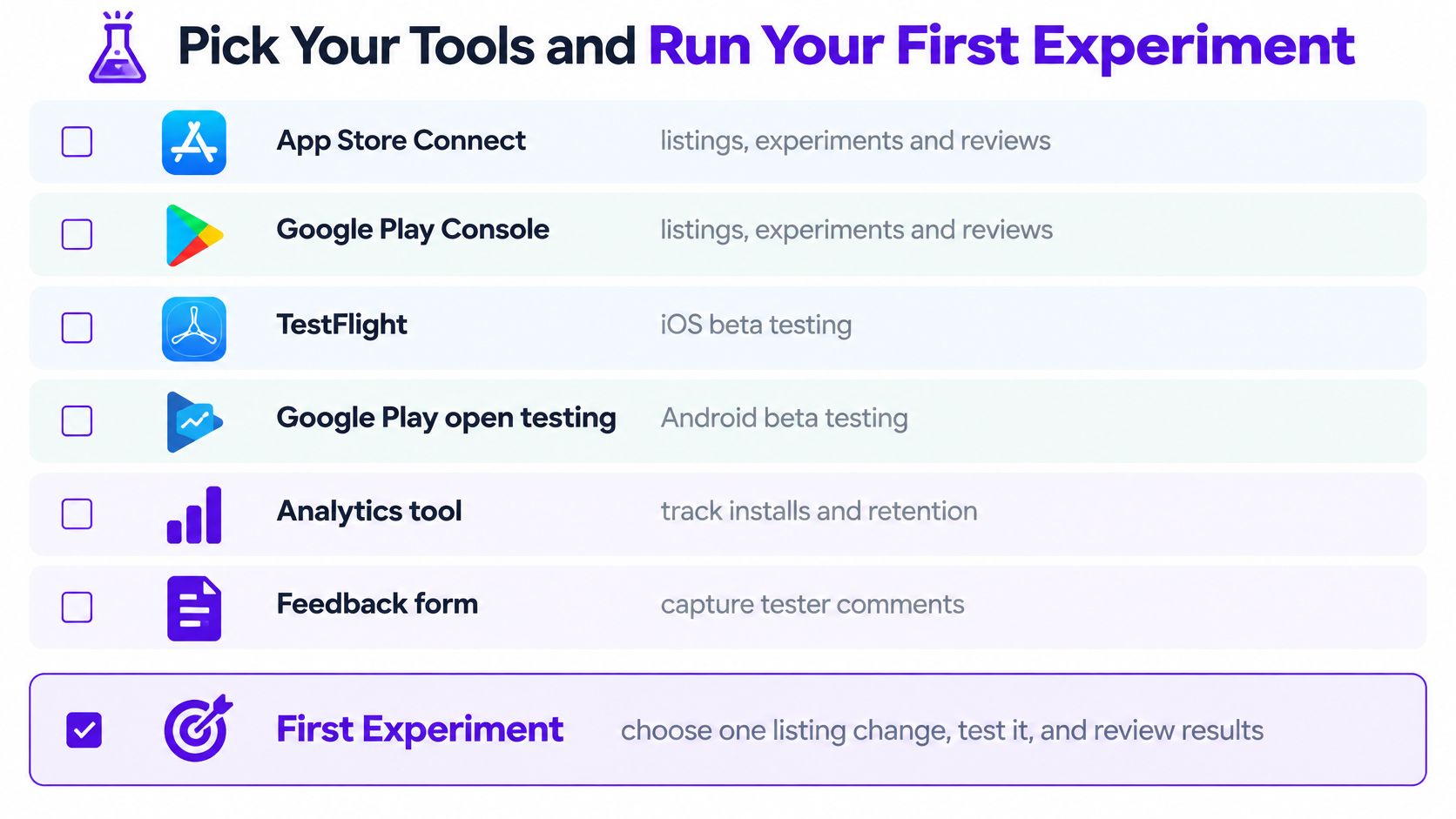
App Store Connect and Google Play Console don't have subscription costs, but developer enrollment requires its own fee on each platform. TestFlight and Google Play open testing help you distribute beta builds, while Firebase Analytics can record activation and retention events. A spreadsheet is enough to begin comparing cohorts; you don't need a complex analytics warehouse before you know which decisions you need to make.
Keep a light operating rhythm
Once a week, review one shared dashboard and look at activation, retention and channel cost together. Ask a tester or teammate to record an async demo when a workflow is confusing, then log the specific obstacle in Notion or the experiment sheet. Make one experiment decision every two weeks so the team has time to collect usable evidence instead of changing several things at once.
Mazurly's pricing is coming soon, and everything on Mazurly is free in the meantime. For a team deciding where to spend limited launch time, free practical resources can help with planning without adding another subscription to the tool stack.
Start today with one listing change, such as the first screenshot. Set a 14-day test, name the primary metric before it begins, and record the result in the cohort sheet before changing another major variable. That gives you a decision you can act on, whether the result is positive, negative or too uncertain to call.
If you're building a location-independent business, visit Mazurly for practical tools and guides on marketing, operations and working across borders. Use those resources to turn your app's next growth question into a testable workflow, then track whether it brings in users who activate and return.