10 Open Source Project Management Tools for 2026
Table of contents
- 1. Plane
- 2. OpenProject
- 3. Taiga
- Agile shape without the suite
- 4. Leantime
- What you should not expect free
- 5. Redmine
- 6. Vikunja
- Enough structure for client tasks
- 7. Tuleap
- 8. WeKan
- 9. Kanboard
- 10. ProjectLibre Desktop
- Schedules, not standups
- Top 10 Open Source Project Management Tools: Feature Comparison
- Pick the Lightest Tool That Protects Your Workflow
Choosing a stack you can run from a hotel desk is harder than picking a board with pretty cards. The tool is only half the decision. Hosting model, data control, time-zone-friendly workflows, and your real appetite for maintenance decide whether it is still useful after the first month.
You are probably comparing options while client work, invoices, and a move are already in motion. A tracker that needs a dedicated admin will lose to a simpler board you keep updated. A board with no permissions will fail the day a contractor should see one project and not the rest. Open source project management tools cover that spread, from modern suites to agile trackers, minimal Kanban, and formal scheduling for distributed founders, freelancers, and small teams.
Hosted tiers are the honest choice when nobody on the team wants to own backups. Self-hosting fits when residency, client contracts, or a bad vendor experience make data location a firm requirement. It also creates key-person risk if you are the only one who knows the server. For a wider pass over task tools before you commit, Projectify's task management software rankings are a practical cross-check.
Match the product to the work. Agile software delivery, light client projects, schedule-driven plans, and a single visual board are different jobs. Async updates, a named owner for admin, and one stable system beat a stack that fragments every time you cross a border.
1. Plane
Plane suits remote product and software teams that want an issue-tracking workspace with a current interface. The free Community Edition can be self-hosted. Cloud and paid tiers are there when you would rather not run the box.
The layout is closer to tools people already tolerate than to a classic bug tracker.
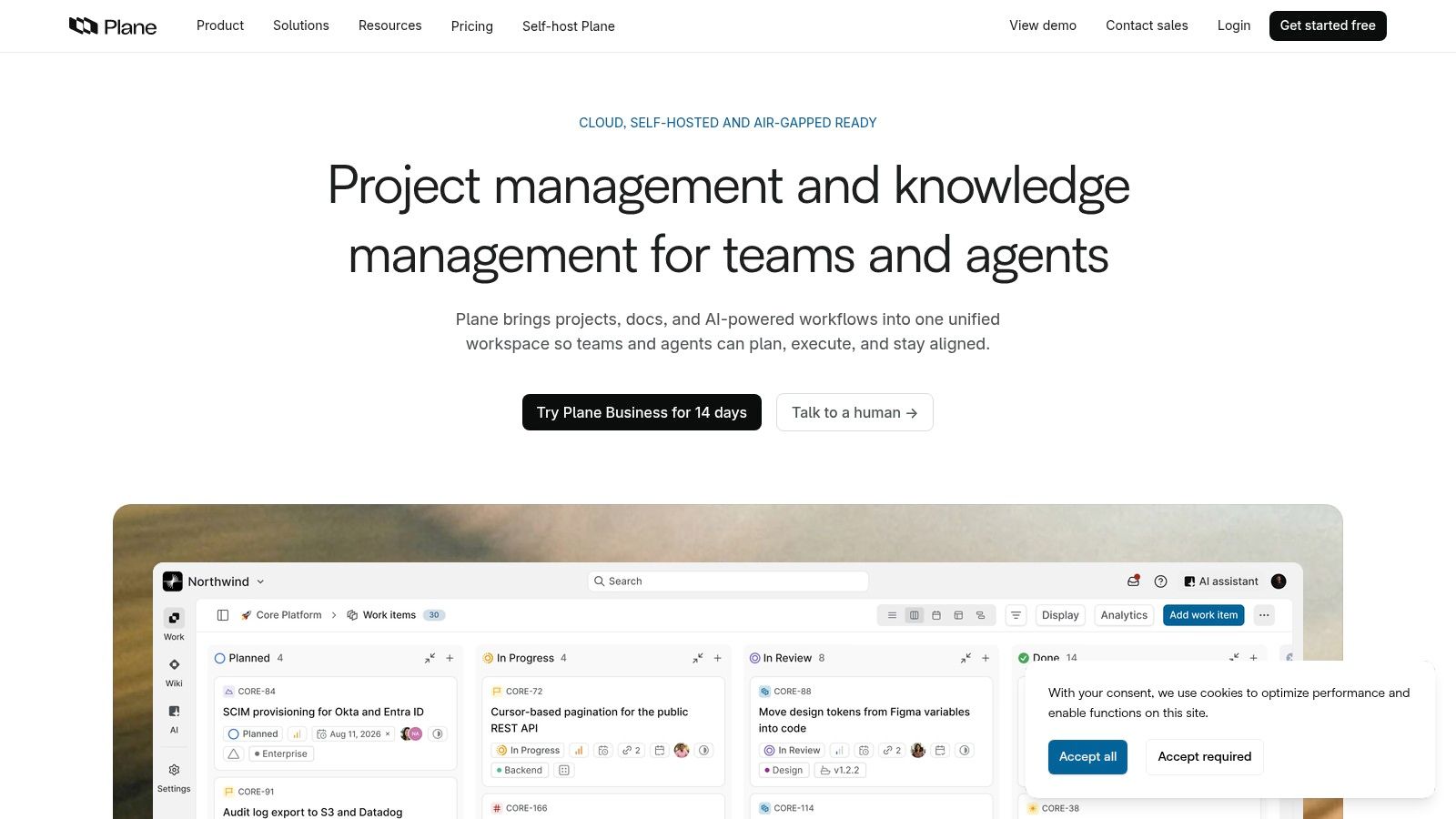
Work items, cycles, modules, and project-level tracking cover delivery. Views include board, list, calendar, Gantt, and spreadsheet. Pages keep short specs next to the work. Docker and Kubernetes are the self-host routes, and the API plus webhooks cover the automations a small team wires up.
Approachable day to day: It is easier to hand to a mixed team than many older trackers.
Light documentation included: Pages reduce the urge to open a second wiki for every decision.
Edition line matters: Community features are not the commercial set. Confirm what you are installing before you promise a client a capability you do not have.
Ops stays yours: Self-hosting means deployments, upgrades, and backups do not disappear because the license is free.
For a founder shipping a small product between cities, Plane fits async delivery: update the item, leave context on the page, skip the live standup. If the product itself is still undecided, micro SaaS ideas for mobile founders pair well with a tracker that stays out of the way. Self-host when customer detail should not sit on someone else's account. Use hosted access when a missed patch during travel is the bigger risk. See Plane.
2. OpenProject
OpenProject is the broad suite, not a single board. The free Community Edition runs on infrastructure you manage. Paid hosted and enterprise plans exist when you want the vendor to run it.
Use it when work packages, planning, and oversight matter more than a pretty card. It is a later-generation platform for project, product, and portfolio work. The OpenProject project page reports more than 20 million downloads, 321 releases, 117,276 commits, and 273 contributors. Treat those as the project's own totals, not market share. They still show a long public history, which matters if you self-host and need to see that maintenance is real.
A 2022 survey of higher-education IT centers looked at nearly 2,400 software solutions across 142 universities in Germany, Austria, and Switzerland. OpenProject ranked among the five most-used project-management solutions, and at least three of that category's top five were open source. 75% of participating universities ran software on premises, and project management self-hosted even more often than the sample overall. Satisfaction was very high, with no reported plan to replace it. Some institutions were weighing moves from Jira, Microsoft Project, or Redmine. That is an institutional signal, not a global share figure.
Practical rule: Self-host OpenProject only after identity integration, tested restores, upgrade windows, audit logs, and a monthly maintenance owner are written down.
Nextcloud file integration is available in the Community Edition. Paid Basic and Professional plans carry a user minimum, so a two-person studio can find the paid cloud awkward. Breadth is overhead if you only need a list. For client work that has to survive a handover, start from a client onboarding checklist and mirror those stages as work packages.
3. Taiga
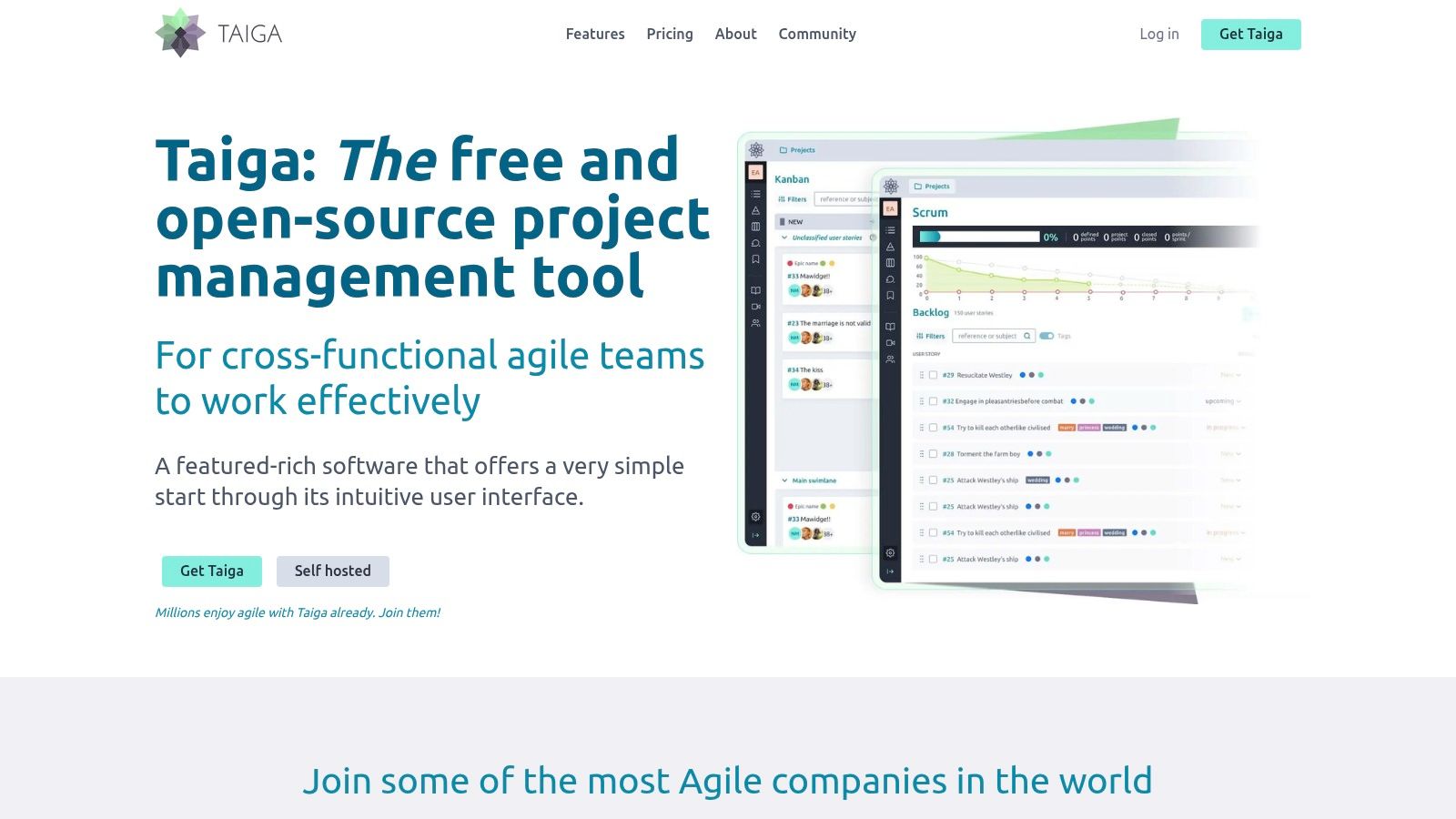
Taiga is built around Scrum and Kanban, not around portfolios or cost baselines. Distributed product teams that already talk in backlogs and sprints will feel at home. Everyone else may be fighting the vocabulary.
Agile shape without the suite
Backlogs, sprint planning, and visual boards are the core. You can use the hosted service or self-host. Hosted plans allow unlimited users, with project and storage limits that change by tier. There is no feature paywall between the open-source build and the hosted feature set in the way some open-core products split the basics.
Scrum is native: Stories, sprints, and boards are the product, not a plugin you hope still works.
Hosting choice is real: Self-host for control. Stay on the hosted service if you refuse to babysit PostgreSQL.
Storage is the hosted catch: Tiers cap storage. Attachment-heavy client work can hit that before user count does.
Wrong fit is obvious: If the team does not estimate or run sprints, the structure becomes ceremony.
Taiga's split frontend and backend is more moving parts than a single binary. That is fine for a software team with someone who can read logs. It is a poor weekend project for a solo designer. Hosted Taiga is the better default when the only goal is a shared sprint board across time zones. Details are on Taiga.
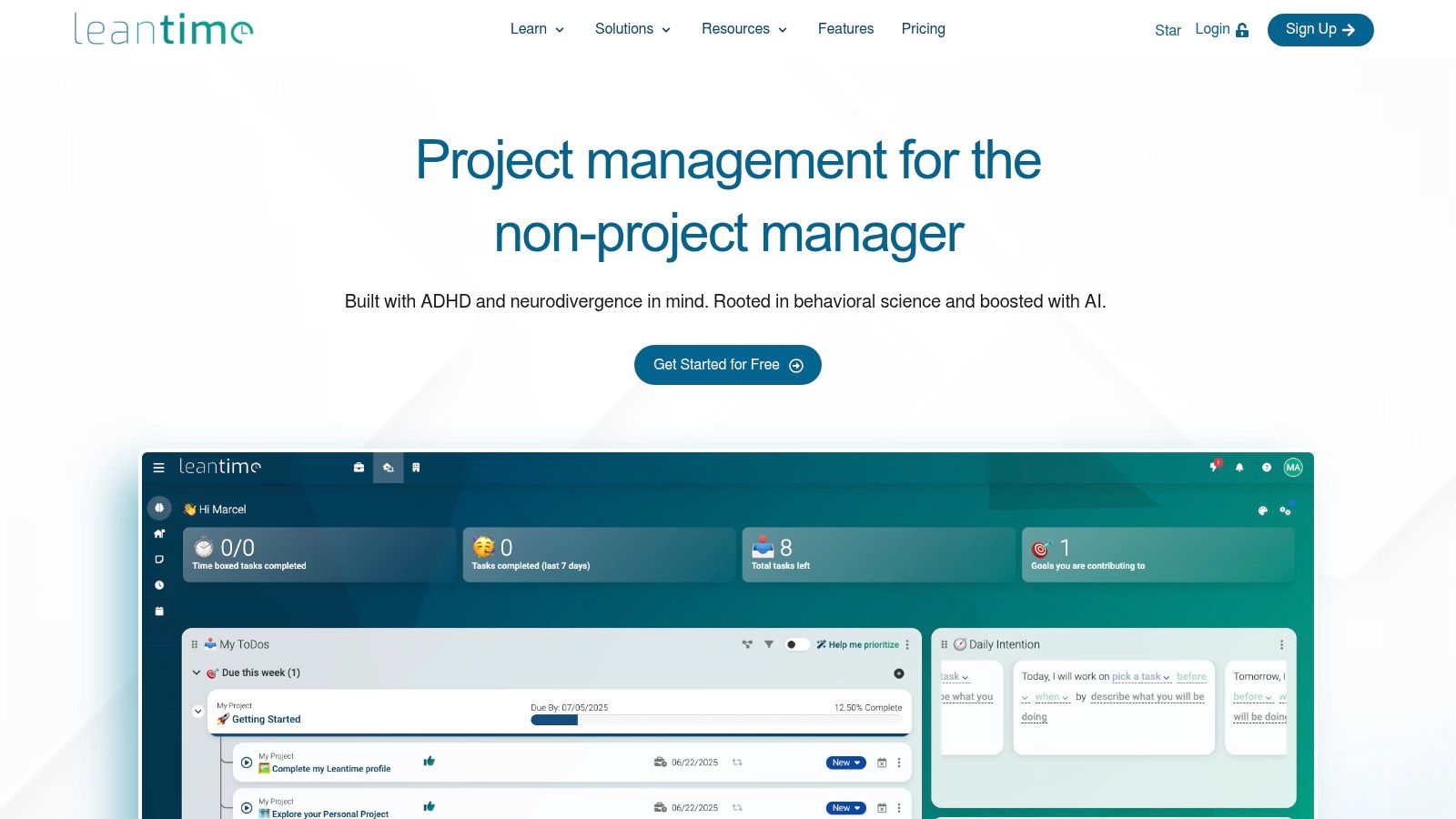
4. Leantime
Leantime is aimed at small teams and people who are not professional project managers. The self-hosted edition is free. Cloud subscriptions and some add-ons are paid.
Tasks, milestones, Kanban, and several task views cover everyday execution. Sprints and backlogs exist if a job turns agile for a few weeks. Time tracking, timesheets, and project documentation sit in the same place, which helps a freelancer who bills from the work log instead of reconstructing a week from chat.
What you should not expect free
Strategy and program-planning depth can sit behind paid plugins or cloud plans. Installing the free edition does not remove upgrade duty. If the business is still thin on cash, compare that ops time with startup costs for an online business before you add a server to the stack.
Broad for a small tool: Task views plus light planning beat a board that cannot show a milestone.
Approachable language: It does not assume a PMO.
Paid line on advanced planning: Do not plan a multi-program rollout on the free core and discover the gap mid-project.
You own uptime: Self-hosting is control, and it is also the 2 a.m. restore.
Use Leantime for a consultancy of a few people running client projects and internal goals together. Skip it when traceability across requirements and tests is the actual job. The project site is Leantime.
5. Redmine
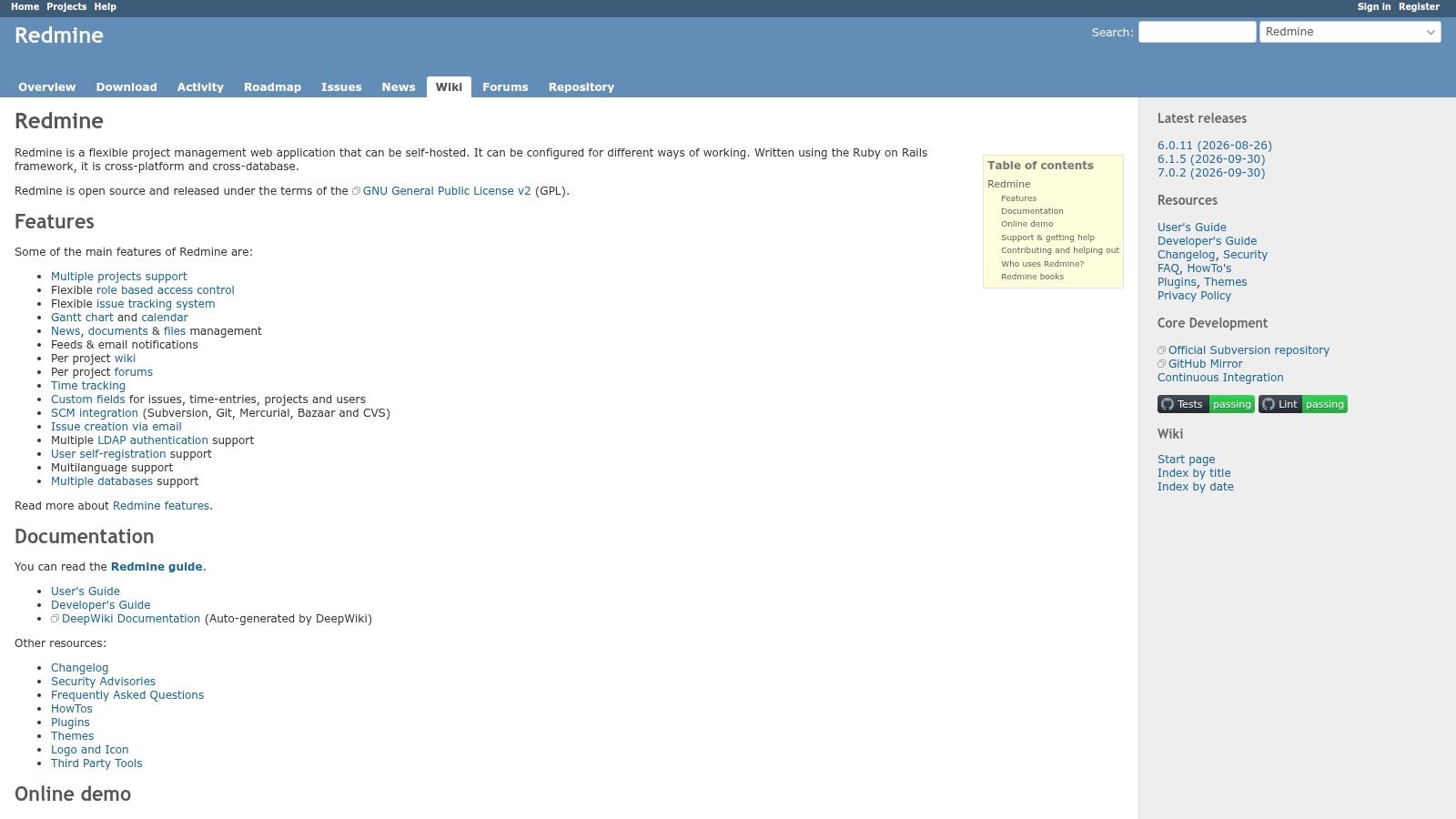
Redmine is the long-running, self-hosted issue and project tracker. Its own repository describes it as a flexible web application built with Ruby on Rails. Multiple projects, configurable workflows, and collaboration live in one install. The interface will not win a design review. The permission model often will.
One installation can hold projects and subprojects. Issue types, statuses, and role-based workflow permissions are configurable. Gantt charts, calendars, and time tracking cover planning. Wikis, files, repository browsing, and email notifications cover the rest of a technical team's day.
It fits operators who already self-host and want extensibility over a ready-made SaaS feel. There is no per-seat subscription on the software itself. Plugins fill gaps such as agile boards, which also means plugin compatibility becomes part of every upgrade. That is the trade. You avoid a vendor roadmap, and you inherit Ruby, a database, and a plugin set only you understand.
If the person who installed Redmine is also the only person who can travel, write the handover before the next trip, not after the server falls behind.
Teams that want polish on day one should look elsewhere. Teams that want a tracker they can bend, and that they are willing to operate, still get a serious tool at Redmine.
6. Vikunja
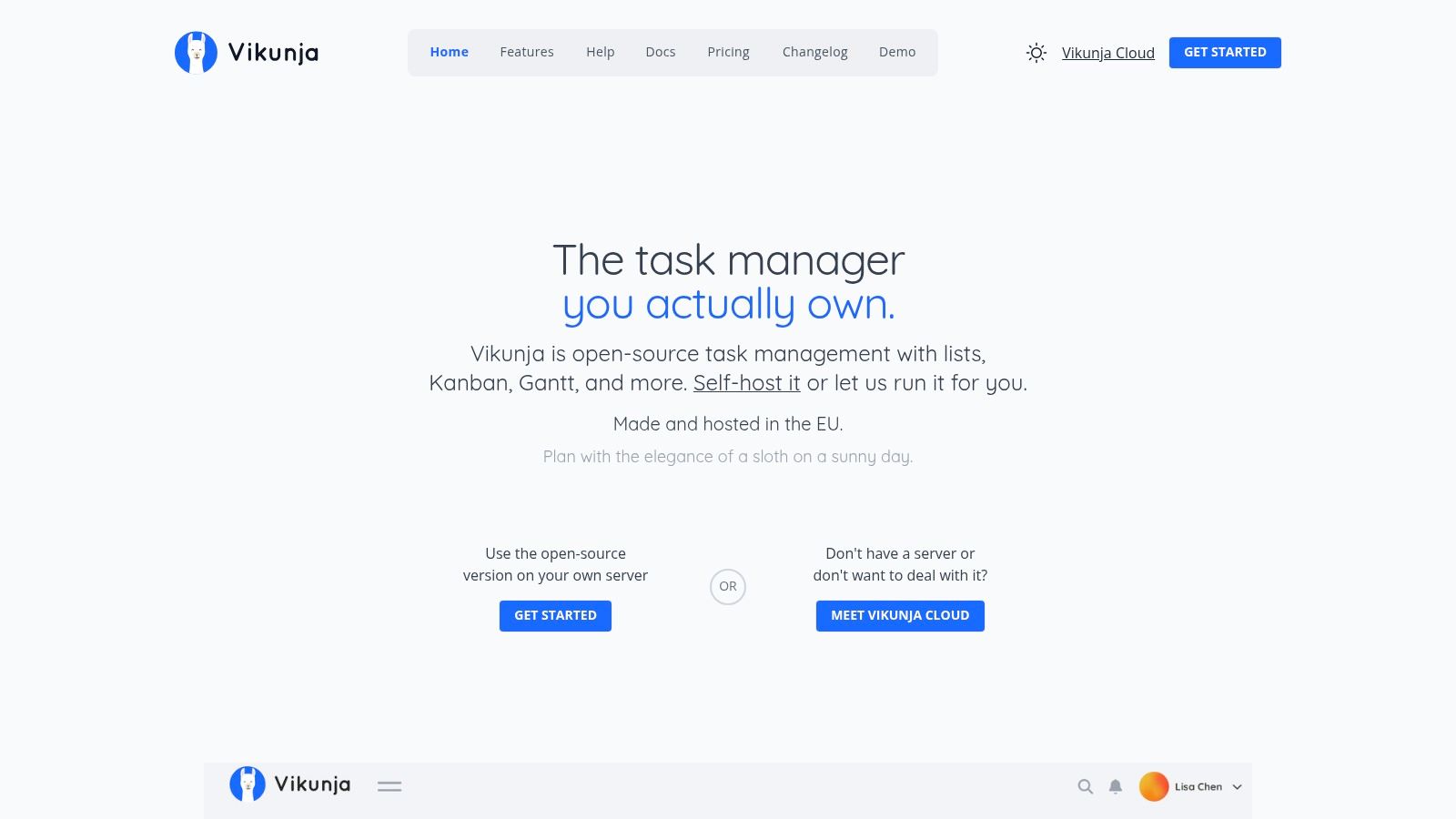
Vikunja is task management for one person, a freelancer, or a small shared list. It is not a portfolio system. The free AGPL-licensed core can be self-hosted, and a cloud option exists.
Enough structure for client tasks
Lists, Kanban, and Gantt views cover how most solo operators look at work. The core stays usable without Pro. Time tracking and audit logs are optional Pro features, so organization-wide admin is not fully free. If you need resource leveling across ten client accounts, this is the wrong layer.
Self-hosting is the point when task titles include unreleased client names and you want that database in a region you choose. Cloud is the point when you change countries often and do not want SSH in the routine. Calendars and imports matter more here than sprint ceremony. A personal board that syncs, plus a shared project for a collaborator, is the sweet spot.
What does not work is pretending Vikunja replaces a delivery suite. No deep backlog management, no formal baselines. Keep it as the daily list, and keep heavier planning in a tool that is built for it. Start at Vikunja.
7. Tuleap
Tuleap is application lifecycle management for software teams that must connect planning with requirements, tests, and code. Lightweight marketing projects will feel buried.
Backlogs, Scrum, Kanban, and agile reporting sit beside trackers and configurable workflows. Requirements and test management are part of the platform, not an export to a spreadsheet. Git and CI-related integrations, APIs, and webhooks tie delivery to the plan. On-premises options and an open-source core suit groups that cannot put that trace in a random cloud tenant.
One chain of evidence: A story can stay linked to a test and a change, which audits and regulated clients ask for.
Permissions can match a real org: Complex workflows are a feature here, and a tax everywhere else.
Too much for a brochure site: If the job is three columns and a due date, Tuleap will slow you down.
Pricing is a conversation: Hosted commercial terms are not a simple public per-seat poster. Confirm them before you model cost.
Run Tuleap when engineers already live in Git and the project manager needs the same system. Do not run it as a shared household to-do list for a two-person studio. The platform is Tuleap.

8. WeKan
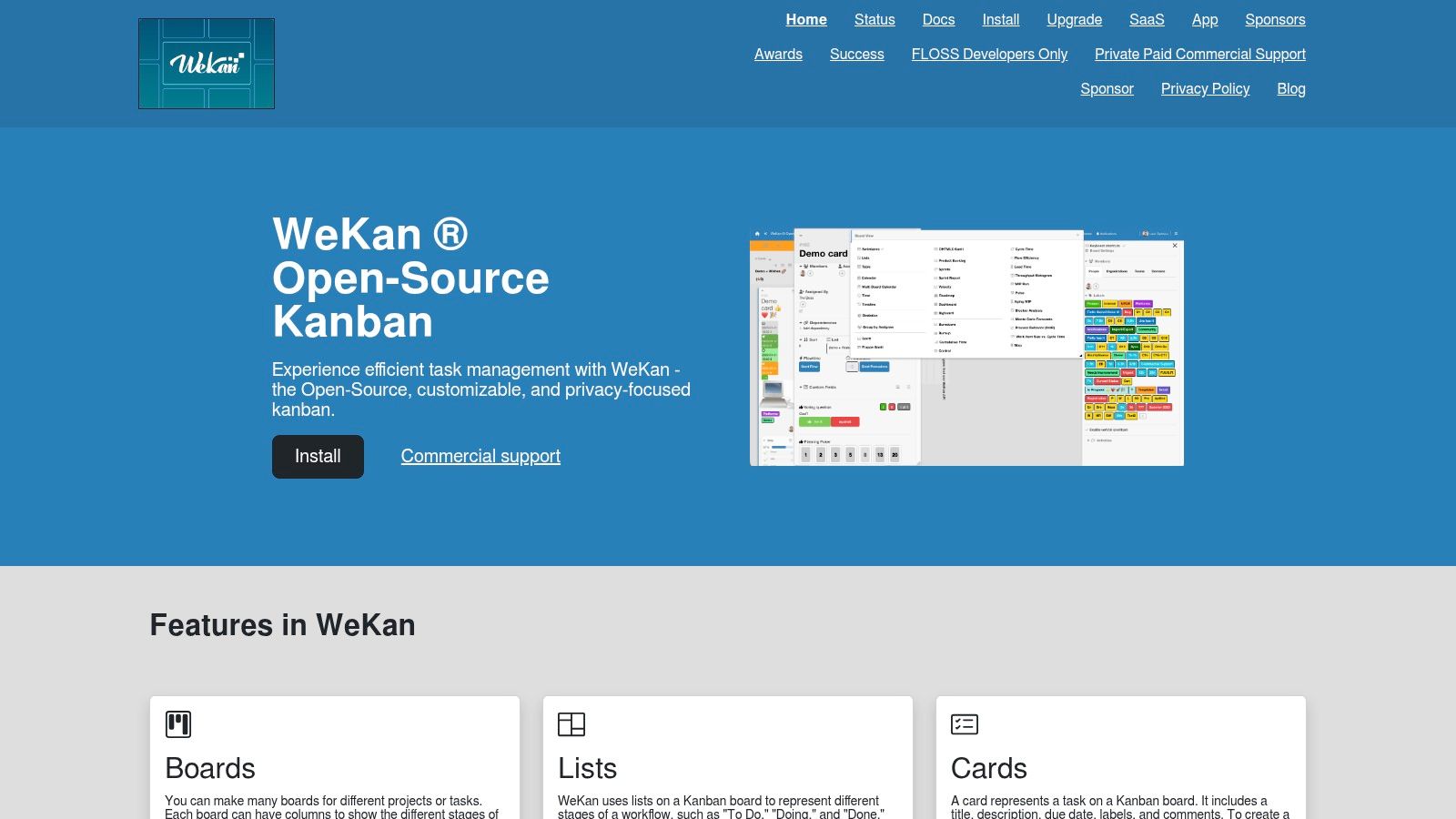
WeKan is a visual Kanban board and not much else, which is the compliment. Lists are stages. Cards are tasks. Self-hosting keeps the board on machines you control. The project is MIT-licensed.
Multiple boards, custom lists, and cards with due dates, labels, checklists, attachments, and comments cover freelancer and small-team flow. Board-level access control is enough when each client gets a board and not a full role matrix. It will not give you portfolio rollups or a defensible critical path. Pair it with a scheduler only if a contract needs one.
Support expectations should stay modest. Official guidance points people to the issue tracker, with paid support as a separate path. That is normal for a focused open-source board, and it is a problem if you need a guaranteed response while you are offline in another time zone. Hosted help or a second person who knows the Docker setup belongs in the plan.
WeKan works when the workflow is "not started, doing, waiting on client, done" and everyone can see the same board without a call. It fails when finance wants resource cost codes. The project lives at WeKan.
9. Kanboard
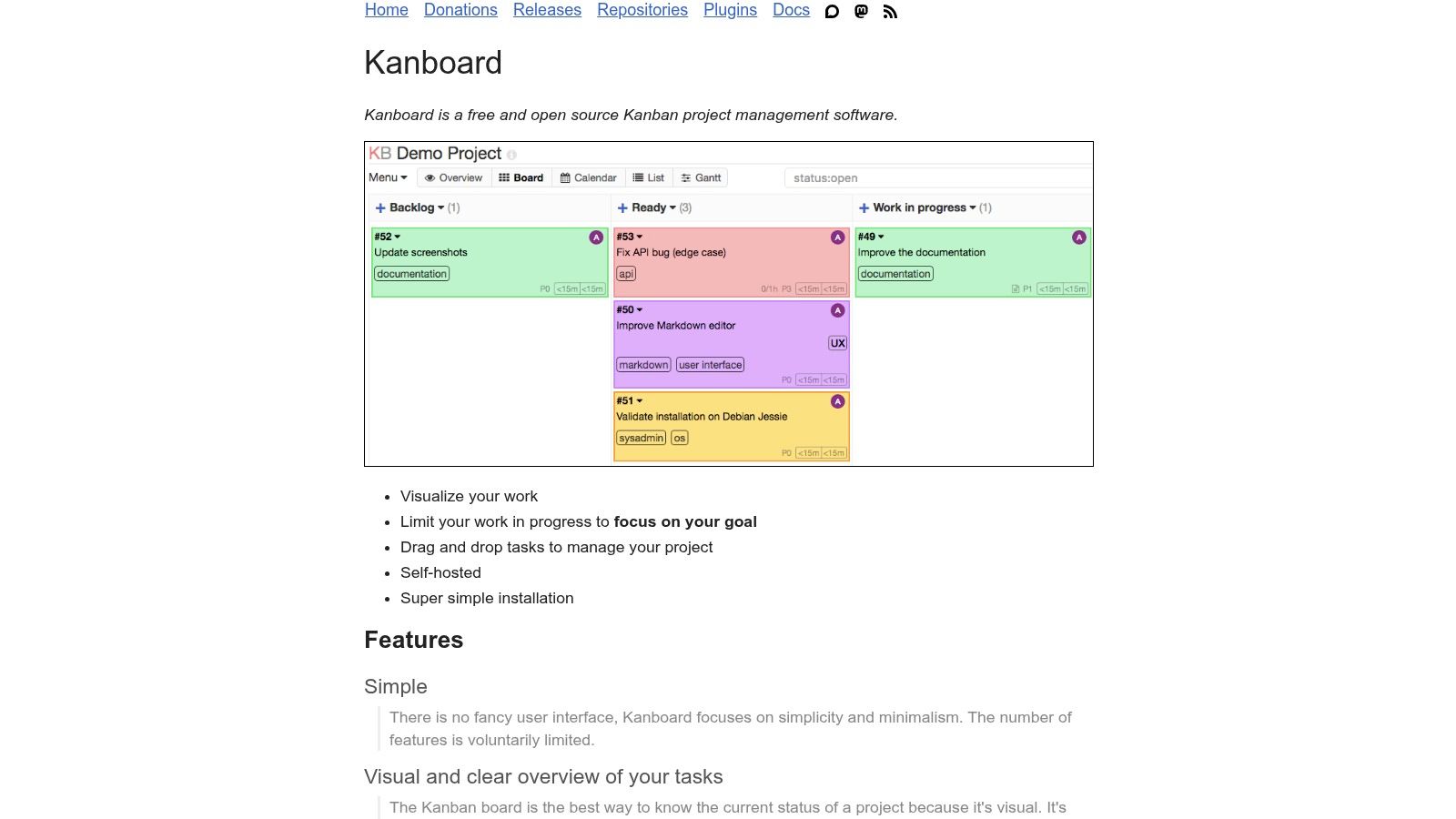
Kanboard is minimal on purpose. It shows work in progress and then gets out of the way. There is no attempt to be a company operating system.
Drag-and-drop cards and custom columns are the whole idea. Work-in-progress limits and filters keep a board from becoming a junk drawer. Tasks, subtasks, comments, and attachments cover the card. Automated actions plus LDAP or OAuth2 help if you already have an identity provider. The license is MIT, and self-hosting avoids per-seat software fees.
The limit is scope, and it is also time. The project is in maintenance mode. Major new features are not being built. That can be acceptable for a stable personal or team board you do not want rewritten every quarter. It is a weak bet if you need the product to grow into reporting, portfolios, or a public API strategy.
A maintained, narrow board beats a stalled suite you cannot leave. Kanboard is the first kind only if your workflow stays narrow too.
Do not pick it for a team that will ask for Gantt baselines next month. Pick it for a focused queue, document the backup, and leave it alone. See Kanboard.
10. ProjectLibre Desktop
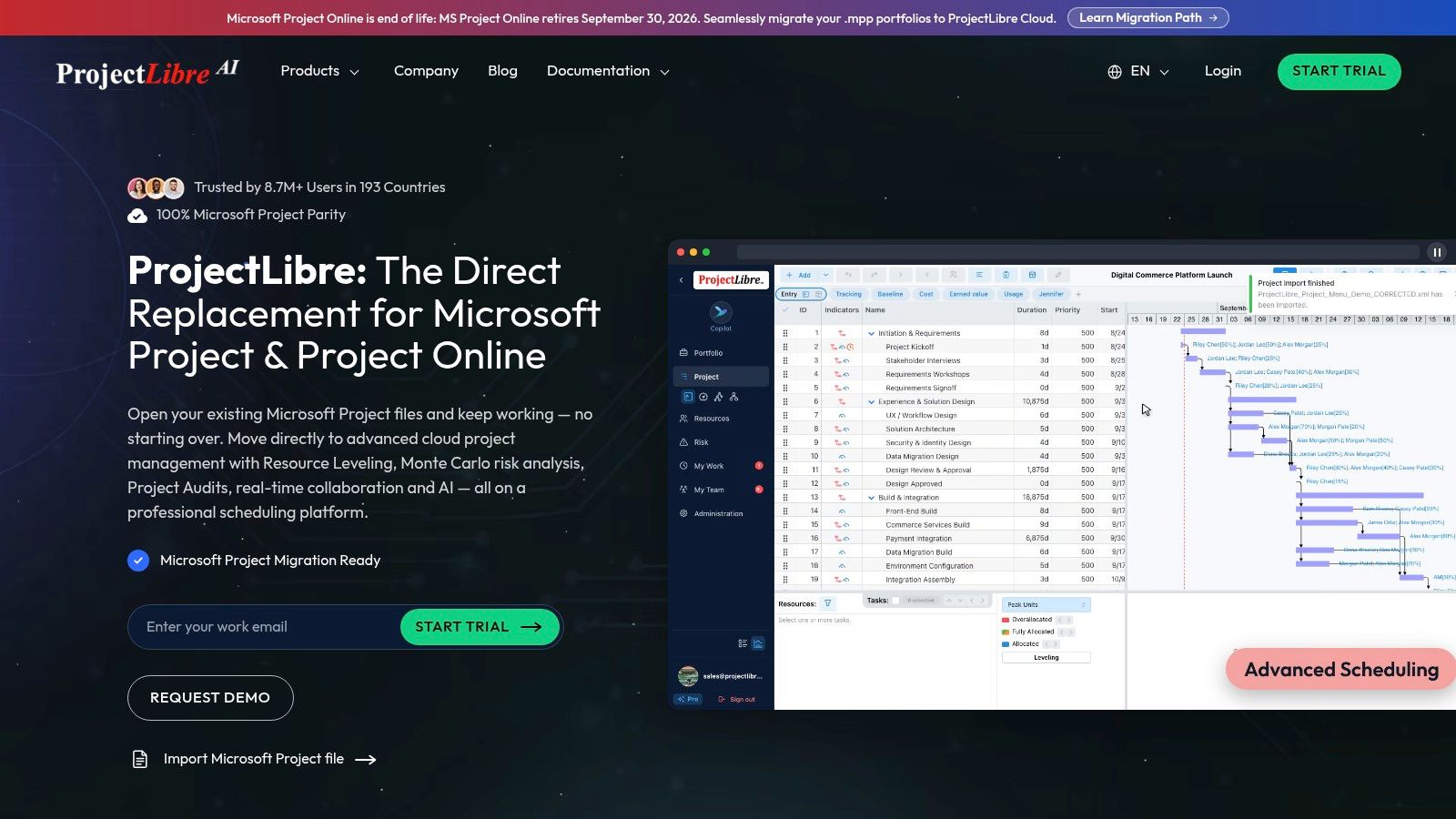
ProjectLibre Desktop is a free desktop scheduler for people who still think in dependencies, resources, and the critical path. It is not a shared web board, and it should not be forced into that role.
Schedules, not standups
Gantt, network, WBS, and resource views are the working surface. Task dependencies, calendars, and critical-path planning are first-class. Resource allocation and cost tracking support a formal plan. Documentation lists Windows, macOS, and Linux. Microsoft Project-style XML compatibility helps when a client sends a file and expects one back.
Real-time collaboration is the miss. Two people in different time zones will not live in the same desktop file without a clumsy share. A to-do list does not need baselines. A fixed-price build with a contractual end date sometimes does.
Use ProjectLibre to build the schedule, then push the near-term tasks onto whatever shared board the team opens. Keep the desktop file as the plan of record, with a named person who updates the baseline. That split is clumsier than one suite, and it is cheaper than teaching a whole remote team a scheduling tool they will ignore. The download starts at ProjectLibre.
Top 10 Open Source Project Management Tools: Feature Comparison
For a team that operates across borders, two questions matter more than feature counts: where the data lives, and who fixes the server when it breaks in a different time zone. The right-hand column below flags the licensing and hosting model for each tool, which is where the self-host versus hosted decision gets made. Read "Best For" as a first filter, not a verdict.
| Tool | Best For 👥 | Core Capabilities | Experience & Fit ★ | Value & Standout ✨ |
|---|---|---|---|---|
| Plane | Remote product and software teams | Issues, cycles, boards, Gantt, project pages | ★ Modern, approachable workspace | 💰 Free self-hosted Community Edition; paid cloud tiers |
| OpenProject | Teams needing structured project oversight | Work packages, planning, collaboration, Nextcloud integration | ★ Broad feature set; may feel heavy for simple task lists | 💰 Free self-managed edition; paid plans carry a user minimum |
| Taiga | Distributed teams using Scrum or Kanban | Backlogs, sprints, Scrum and Kanban boards | ★ Agile workflows are central; less suited to non-agile teams | ✨ Hosted or self-hosted; hosted storage varies by plan |
| Leantime | Small teams wanting accessible project organization | Tasks, milestones, sprints, time tracking, documentation | ★ Designed to be approachable beyond dedicated project managers | 💰 Free self-hosted edition; cloud and some add-ons are paid |
| Redmine | Technical teams needing configurable issue tracking | Multi-project workflows, Gantt, time tracking, wiki, repository tools | ★ Flexible, but less polished and requires technical ownership | 💰 Self-hosted with no per-seat subscription |
| Vikunja | Individuals, freelancers, and small teams | Lists, Kanban, Gantt, cloud and self-hosted options | ★ Useful for personal tasks and shared projects | 💰 Free AGPL-licensed core; optional paid Pro features |
| Tuleap | Engineering teams with delivery traceability needs | Agile planning, requirements, testing, workflows, Git integrations | ★ Powerful, but complex for lightweight projects | ✨ Open-source core and on-premises options; hosted pricing should be confirmed |
| WeKan | Freelancers and small teams wanting visual task boards | Boards, lists, cards, labels, checklists, comments | ★ Straightforward Kanban workflow | 💰 MIT-licensed and self-hostable; paid support available |
| Kanboard | Individuals or teams needing a minimal Kanban board | Cards, WIP limits, filters, automation | ★ Simple and focused; project is in maintenance mode | 💰 MIT-licensed self-hosting avoids per-seat fees |
| ProjectLibre Desktop | Project managers planning schedule-driven work | Gantt, dependencies, critical path, resources, costs | ★ Strong formal scheduling; limited real-time collaboration | 💰 Free desktop application; supports Microsoft Project-style XML |
Pick the Lightest Tool That Protects Your Workflow
Start from how the work moves, not from a feature matrix. Agile software teams can live in Plane, Taiga, or Tuleap, depending on how much traceability they need. Mixed client work for a non-specialist team fits Leantime or OpenProject. Personal and freelancer lists fit Vikunja, WeKan, or Kanboard. Formal scheduling fits ProjectLibre on the desktop, with a shared board for the daily queue. Redmine remains the flexible self-hosted tracker when someone technical will own it.
Then choose hosting from data sensitivity, uptime, and skill, not from the idea that open source is free. A neutral self-hosting study of 994 users found that a significant share handled security in an unstructured way, and some had not updated since the first install, as reported in Usenix security research on self-hosting. That is the break-even. Self-hosting stops being economical when you are a solo operator, the data is sensitive, uptime matters across time zones, and nobody else can restore a backup. A minimum operating model is short: automated backups you have restored once, a written upgrade window, vulnerability alerts, an admin handover, and time budgeted every month.
Popularity is a weak proxy for durability. A peer-reviewed look at free and open-source organizations covered up to 21 years, 1,314 projects, and about 1.4 billion lines of code, according to research on long-running open-source collaboration. Projects kept gaining code, while commits, committed code, and comments were lower than at the start of the 2020s, with a milder drop among projects run by medium and small organizations. Read recent commits, release cadence, and who the maintainers are. Kanboard's maintenance mode is a fact to accept, not a surprise to discover later.
Security and performance should outrank polish. A 2021 evaluation of 640 students, developers, and prospective users ranked security first at a mean of 4.73 on a five-point scale and performance second at 4.71, in an academic selection study. The sample included respondents from Bangladesh and is not a world survey. The order is still a sane procurement rule. The 2025 Open Source Monitor found that 94% of companies treat security indicators or certifications and functionality as important, while only 32% reported using the BSI SBOM guideline or ISO 18974. Ask for advisories, export formats, authentication, and a way out.
Run a two-week pilot on one live project. Name who patches and who restores. Export the data once during the pilot so leaving is a tested path. For people who move, the winning stack is the lightest one that keeps client delivery, money admin, and travel logistics from splitting across borders while you are offline.
Mazurly helps globally mobile founders, freelancers, and small remote teams run an online business without pinning operations to one city. Its guides cover async productivity, invoicing, cross-border admin, and the systems that keep client work stable while you move. If this comparison narrowed your stack, visit Mazurly and build the rest of the operating rhythm around it.